

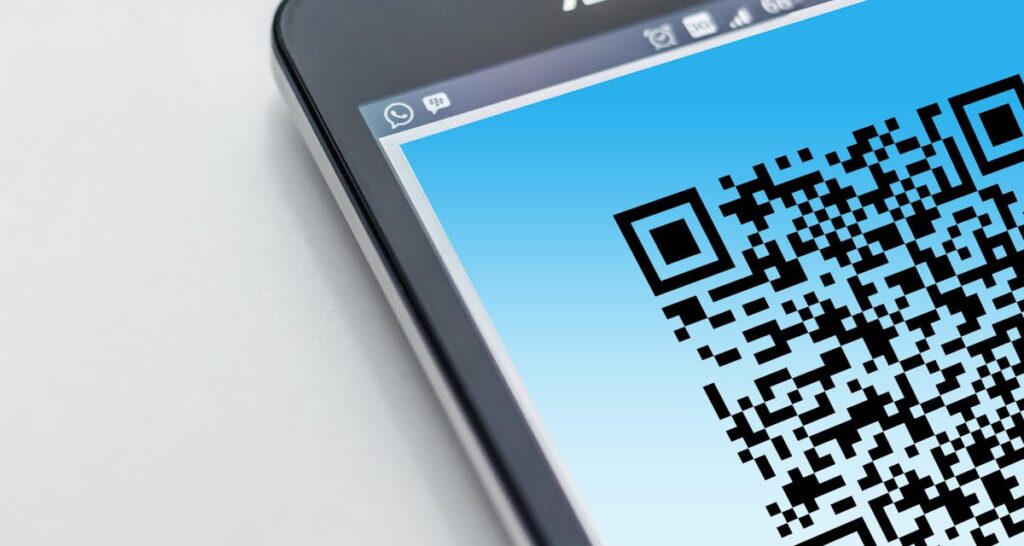
QR codes have gone from black-and-white squares to fully designed brand assets thanks to AI. Modern AI tools can generate QR codes that are not only functional but visually stunning — incorporating brand colors, custom patterns, integrated logos, and even artistic styles while maintaining perfect scannability. This guide covers the best AI QR code design tools, technical requirements for reliable scanning, and step-by-step workflows for creating QR codes that people actually want to scan.
Why QR Code Design Matters
A standard black-and-white QR code works, but it communicates nothing about your brand. Research from Statista shows that QR code usage has grown over 300% since 2020, driven by contactless payments, restaurant menus, and marketing campaigns. With QR codes appearing everywhere, designed QR codes stand out and communicate professionalism, brand awareness, and attention to detail.
AI-designed QR codes achieve scan rates 30-50% higher than standard black-and-white codes in marketing contexts, according to industry case studies. The visual appeal draws attention, and the brand integration builds trust — people are more likely to scan a QR code that clearly belongs to a recognized brand than a generic one that could link anywhere.
How AI QR Code Generation Works
AI QR code generators use a technique called Stable Diffusion ControlNet conditioning. The AI generates an image based on your text prompt while using the QR code pattern as a structural constraint. The resulting image contains the QR code data embedded within artistic visuals — the light and dark areas of the generated image correspond to the modules (squares) of the QR code, but rendered in a visually appealing way.
The critical technical challenge is maintaining sufficient contrast between the QR code’s data modules and the surrounding design. QR codes include built-in error correction (Reed-Solomon codes) at four levels: L (7% recovery), M (15%), Q (25%), and H (30%). AI QR code generators typically use H-level error correction, allowing up to 30% of the code to be obscured by design elements while remaining scannable.
Best AI QR Code Design Tools
1. QR Code AI Art Generator (qrcode.ai)
QR Code AI is a dedicated AI QR code art platform that combines Stable Diffusion with QR code generation. You enter your URL, choose an art style or write a custom prompt, and the tool generates artistic QR codes that blend your design vision with functional scanning. The platform offers dozens of preset styles including cyberpunk, watercolor, geometric, floral, minimalist, and photorealistic themes.
Pricing: Free tier with watermark and limited generations. Pro at $9.99/month for unlimited generations, no watermarks, and high-resolution downloads. Business at $29.99/month adds API access, batch generation, and analytics tracking.
2. Stable Diffusion with ControlNet QR Code
For maximum control, you can generate AI QR codes locally using Stable Diffusion with the ControlNet QR Code model. This open-source approach gives you complete control over the generation process, model selection, and output quality. The workflow involves: generate your QR code pattern → load it as a ControlNet input → write your creative prompt → adjust ControlNet strength (typically 1.0-1.5) → generate and test scannability.
Community resources like Civitai host specialized QR code ControlNet models and detailed tutorials. This approach requires technical knowledge but produces the highest-quality results and costs nothing beyond hardware.
3. QR Tiger
QR Tiger is an enterprise QR code platform that added AI styling capabilities. Beyond basic QR code generation with custom colors and logos, QR Tiger offers AI pattern generation, dynamic QR codes (where you can change the destination URL after printing), scan analytics, and bulk generation. For businesses managing hundreds of QR codes across campaigns, QR Tiger’s management features justify the premium pricing.
Pricing: Free tier for static QR codes. Regular at $7/month for 3 dynamic QR codes. Advanced at $16/month for 10 dynamic QR codes with analytics. Premium at $37/month for unlimited dynamic codes, GPS tracking, and retargeting. Enterprise plans available with API access.
4. Hovercode
Hovercode combines QR code generation with AI design features and emphasizes design customization. You can create QR codes with custom shapes (rounded, dotted, star-shaped modules), gradient colors, frame templates, and logo integration. Their AI feature suggests optimal design parameters based on your brand colors and intended use case.
5. Canva QR Code Generator
If you already use Canva, its built-in QR code generator creates basic customized QR codes that integrate directly into your designs. While not as advanced as dedicated AI QR tools, the integration with Canva’s design ecosystem makes it practical for quick social media posts, business cards, and marketing materials where the QR code is one element of a larger design.
Step-by-Step: Creating a Branded AI QR Code
Step 1: Choose Your QR Code Content
Decide what the QR code links to: website URL, vCard contact information, WiFi credentials, app download link, payment page, or social media profile. For marketing, use a URL shortener or tracking link (like Bitly) so you can track scans and change the destination later without reprinting.
Step 2: Set Error Correction to High
Always use the highest error correction level (H — 30% redundancy) when creating designed QR codes. This gives the AI maximum room to apply visual effects while maintaining scannability. The trade-off is a slightly denser code pattern, but with modern phone cameras this causes no scanning issues.
Step 3: Design with Contrast in Mind
The most common failure in AI QR code design is insufficient contrast. QR scanners need a clear difference between the “data” modules and the “background” areas. When writing your AI prompt, specify light backgrounds and darker elements, or vice versa. Avoid mid-tone, low-contrast imagery that blends the QR pattern into the design. Test every generated code with at least 3 different phone models before approving for production.
Step 4: Test Scannability Rigorously
Test your QR code by scanning with: the default camera apps on both iPhone (iOS) and Android, dedicated QR scanner apps like Google Lens, at various distances (close up, arm’s length, 1 meter, 2 meters), at different angles (straight on, 30 degrees, 45 degrees), under different lighting conditions (bright daylight, indoor, low light), and at your intended print size. If any test fails, regenerate with higher ControlNet strength or simpler visual design.
Step 5: Export at Proper Resolution
For print: export at minimum 300 DPI at your intended print size. A QR code printed at 2cm×2cm needs at least 236×236 pixels; at 5cm×5cm you need 591×591 pixels. For digital: 500×500 pixels minimum for most applications. For large format (posters, banners): export the vector version if available, or the highest resolution raster possible. Always include a quiet zone (white border) of at least 4 modules around the QR code.
Common Mistakes to Avoid
Inverting colors: Dark modules on light background is the standard QR code format. While some scanners read inverted codes (light on dark), many do not. Stick with dark-on-light for maximum compatibility.
Over-designing: The most beautiful AI QR code is worthless if it does not scan. Prioritize function over aesthetics. Start with moderate AI styling and increase complexity only after confirming reliable scanning.
Wrong format: Static QR codes cannot be updated after creation. If there is any chance you will need to change the destination URL, use dynamic QR codes from the start. Reprinting materials with updated QR codes costs far more than a dynamic QR code subscription.
Ignoring size minimums: QR codes need to be at least 2cm×2cm (0.8×0.8 inches) for reliable scanning from a normal distance. AI-designed codes with intricate patterns may need to be even larger since the visual complexity can reduce scanner performance at small sizes.
QR Code Design for Different Industries
Restaurants: Table tent QR codes for digital menus. Use warm, inviting design themes that match your restaurant’s ambiance. Dynamic codes let you update menus without reprinting.
Retail: Product packaging QR codes linking to reviews, tutorials, or loyalty programs. Design should complement the packaging aesthetics. Keep codes prominent — at least 2.5cm for product labels.
Real estate: Property listing QR codes on signs and brochures linking to virtual tours, floor plans, or contact forms. Use high-contrast designs visible from a distance.
Events: Ticketing, check-in, and information QR codes. Design with event branding. Consider wristband-compatible codes at minimum 1.5cm for wearable applications.
Frequently Asked Questions
Do AI-designed QR codes scan as reliably as standard ones?
When properly created with high error correction and adequate contrast, AI QR codes scan just as reliably as standard codes. The error correction built into the QR standard specifically accommodates visual modifications — this is the same mechanism that allows traditional logo-embedded QR codes to function.
Can I use AI QR codes for payments?
For payment applications (linking to payment pages, not replacing payment terminal QR codes), AI-designed codes work perfectly. However, do not modify or redesign payment terminal QR codes (like those from Square, PayPal, or bank apps) — these have strict formatting requirements and any modification could prevent payment processing.
What is the maximum data a QR code can store?
A QR code can store up to 4,296 alphanumeric characters or 7,089 numeric characters. However, more data means a denser, more complex code that is harder to design artistically. For AI QR codes, keep URLs short (under 100 characters) using URL shorteners. This keeps the code simple enough for the AI to incorporate attractive design elements while maintaining scannability.
Conclusion
AI-powered QR code design transforms a functional utility into a brand touchpoint. Every QR code your business displays is an opportunity to reinforce brand identity and attract more scans through visual appeal. With tools like QR Code AI, Stable Diffusion with ControlNet, and QR Tiger, creating professionally designed QR codes is accessible to any designer or marketer. The key is balancing aesthetics with function — always test scannability before production, use high error correction, maintain contrast, and design with the scanning experience in mind.
Create Your Own QR Code for Free — Need a custom QR code for your project, business, or personal use? Try our free QR code generator to create high-quality QR codes instantly in PNG, SVG, and more formats.