

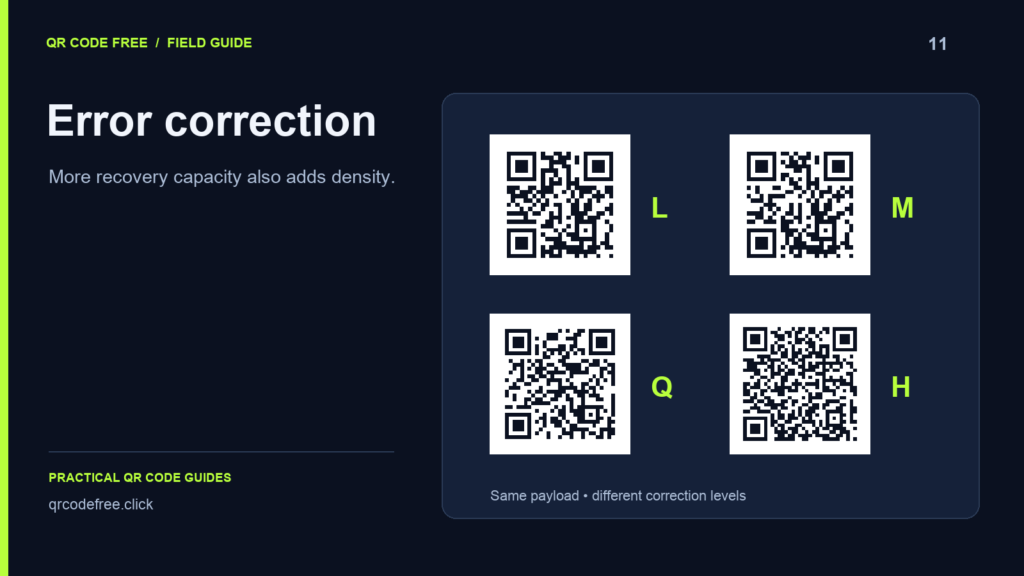
QR codes use error correction to recover some damaged data. The levels L, M, Q and H trade payload capacity for additional recovery information. Choosing a higher level can increase the number of modules needed for the same content.
What the percentages describe
DENSO WAVE describes approximate restoration capacities of 7% for L, 15% for M, 25% for Q and 30% for H. These concern codewords, not a guaranteed percentage of the visible image that you can cover with a logo.
Damage location matters. Obscuring a finder pattern or another structural area can prevent detection before data recovery is useful. The clear border also needs to remain intact.
Compare the same payload
- Open the generator and enter a fixed test URL.
- Use a plain black-on-white design with no logo.
- Switch between L, M, Q and H while keeping the content unchanged.
- Compare the Modules value and the exported pattern at the same physical size.
A grid may stay the same for more than one level if the payload still fits the same version. Character count alone does not determine the exact version: encoding mode, content and correction level also matter.
Do not confuse a tool limit with the QR format
A particular encoder can reject content because of an implementation limit or the selected configuration. That does not mean an ordinary contact record cannot be encoded by the QR standard. Shorten the payload or use a URL when the generator reports an overflow.
Choose a level and validate it
M is a useful starting point for a simple code. If you add decoration or expect handling damage, compare a higher level and allow enough physical space for any increase in density. No level guarantees that a decorative or damaged code will scan.
Print or display the actual final file and test it on multiple phones. If adding recovery information makes a small code too dense, enlarge the code or shorten its content.
Reference: DENSO WAVE: error correction. See logos in QR codes for the separate design risks.