

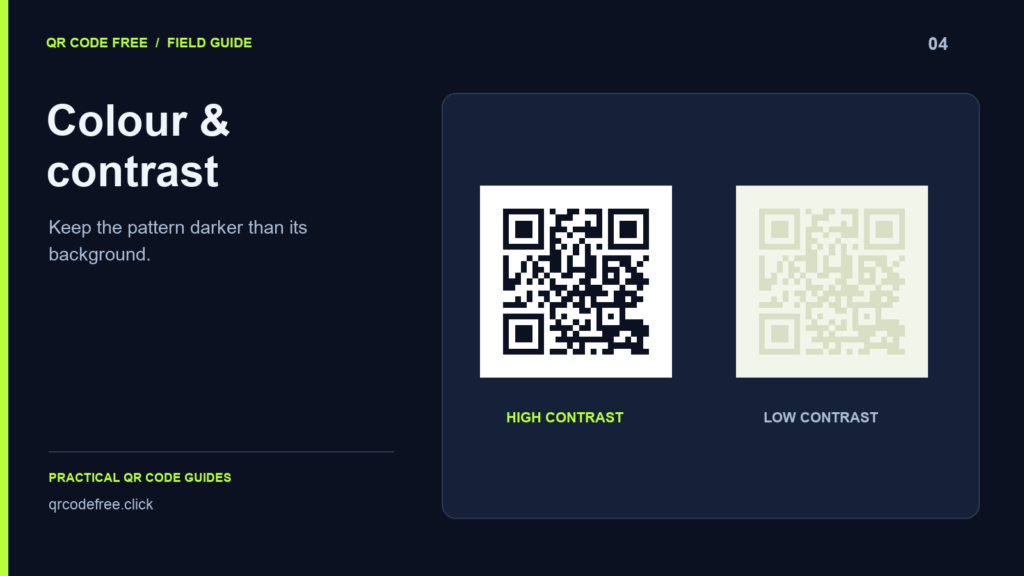
Brand colours that look distinct to a person can still produce a QR code that is hard for a camera to read. A scanner must distinguish light and dark modules after the image has passed through lighting, reflections, focus and image processing.
Start with a dependable baseline
Use dark modules on a plain light background, with square shapes and no logo. Download the file and confirm that it scans before introducing brand colours. This gives you a reference when comparing later changes.
Compare lightness, not just colour names
Two saturated colours may have less light-dark separation than expected. Viewing a design in greyscale can expose an obvious problem, but it is only a preview check. A screen contrast value does not certify a printed QR code or account for every phone camera.
Avoid pale modules, a dark background behind dark modules, and gradients that become too light in part of the pattern. The quiet zone should remain a plain continuation of the light background.
Make one change at a time
- Keep the same payload and physical size.
- Change the foreground colour and scan the exported file.
- Change the background only if needed, then test again.
- Add any gradient or logo separately so you can identify which change causes a failure.
Do not assume that a higher correction level compensates for poor contrast. The camera still needs to locate and distinguish the pattern before recovery can help.
Check the real material
Print a sample using the intended process. Compare it under actual lighting, including reflections from any coating or protective cover. Colour conversion, ink and the surface can change the effective separation from the original screen design.
If scanning needs repeated attempts, return to the simple baseline. Choose a darker foreground, lighter background, larger physical size or shorter payload. Keep a plain alternative when the decorative version is unreliable.
Continue with quiet zones, logos and screen versus print checks.