

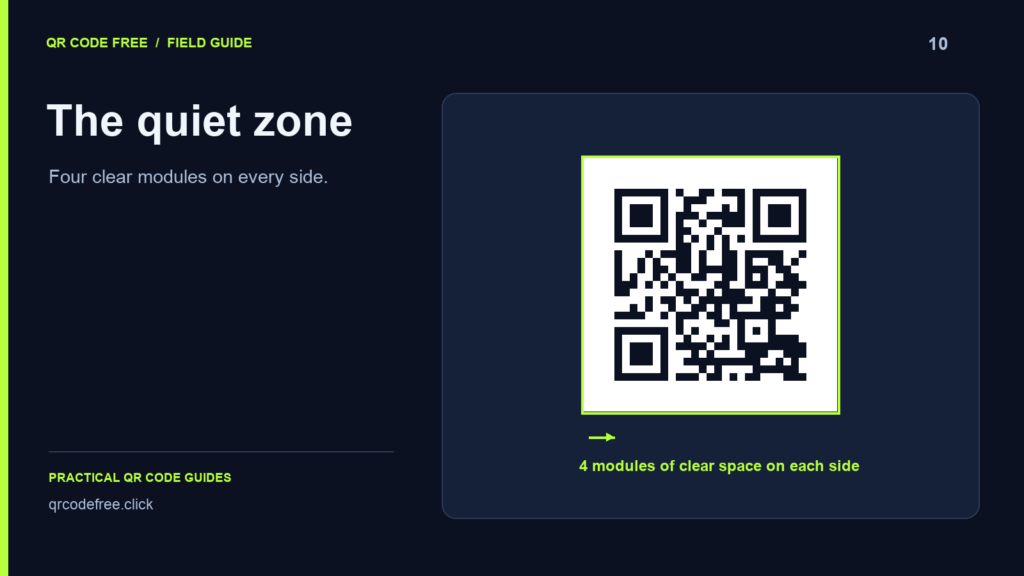
The quiet zone is the clear area surrounding a QR pattern. For a standard QR code, keep at least four modules on every side. A module is one small square in the grid, so the required margin changes when you scale the symbol.
Calculate the footprint correctly
Let N be the number of modules along the pattern and m the width of one module. The pattern measures N × m. Each quiet zone measures 4 × m. The full square footprint, including both margins, measures (N + 8) × m.
For example, a 25-module pattern printed at 0.5 mm per module has a 12.5 mm pattern and a 2 mm margin on every side. Its total footprint is 16.5 mm. This is an arithmetic example, not a guaranteed minimum print size for every phone or material.
Standard QR versions start at 21 modules and grow by four per version: 21, 25, 29, 33 and so on. Values such as 42 or 50 are not standard QR pattern dimensions. See DENSO WAVE’s standardisation overview.
Protect the margin in your layout
- Keep captions, borders and logos outside the quiet zone.
- Use a plain light background rather than placing the code directly over a photograph.
- Check that a rounded container, crop or trim edge has not removed the corners.
- Inspect the final exported page, not only the original QR image.
What the generator does
The generator preserves a minimum four-module margin in PNG and SVG exports. The displayed effective margin can therefore be larger than the requested value. Preserve that margin after placing the file in another application.
Test the actual result
Scan the downloaded file, then a sample at the final printed size. Try different phones, realistic lighting and the intended viewing angle. A margin that is numerically correct does not solve low contrast, a damaged finder pattern or an unavailable destination.
Reference: DENSO WAVE: determining the code area. Continue with colour and contrast.